
- Joined
- Jun 17, 2022
- Messages
- 256
- Awards
- 3
Offline
Little theme pack I put together with an easy-edit AnS logo, which is ideal for someone starting out or for people who don't have their own logo. I've included a large 2048x2048 version of the logo which isnt in Smarters but better for resizing. This was originally made for a DMTV 3.0.8 Smarters but can easily be adapted for other Smarters with a little resizing of the canvas in Photoshop and the settings icons should work for practically all versions.
I've made RED, GREEN and PURPLE versions (including the backgrounds accents)
HOW TO EDIT:
You'll need Photoshop to start with, for this I used Photoshop CC 2023.
Open up the Logo.psb (not PSD) file. Can edit the ANS text to whatever you like, when you're done save it and close. Then open up each PSD file and right-click the"Logo" layer and re-link to file, now point it to the Logo.psb file and your edits will be brought over.
Launch:

Dashboard:
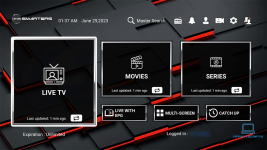
Settings:
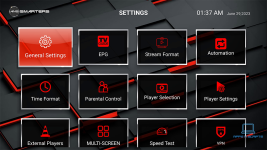
Logo:

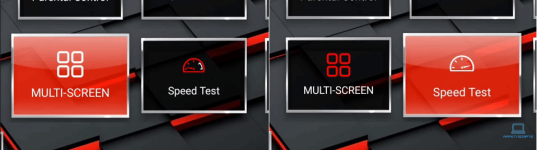
Also, a little extra... but the speedo on the speed test goes from low to high... Because... Why not lol
I've made RED, GREEN and PURPLE versions (including the backgrounds accents)
HOW TO EDIT:
You'll need Photoshop to start with, for this I used Photoshop CC 2023.
Open up the Logo.psb (not PSD) file. Can edit the ANS text to whatever you like, when you're done save it and close. Then open up each PSD file and right-click the"Logo" layer and re-link to file, now point it to the Logo.psb file and your edits will be brought over.
Launch:
Dashboard:
Settings:
Logo:
Also, a little extra... but the speedo on the speed test goes from low to high... Because... Why not lol
Last edited:
